A Buy spec is a product a customer is looking to buy, it's an Item with specific descriptions requested by the customer. As a Broker, you can assign any Buy spec in your Buy Spec Table to an Item and request a Sample Shipment.
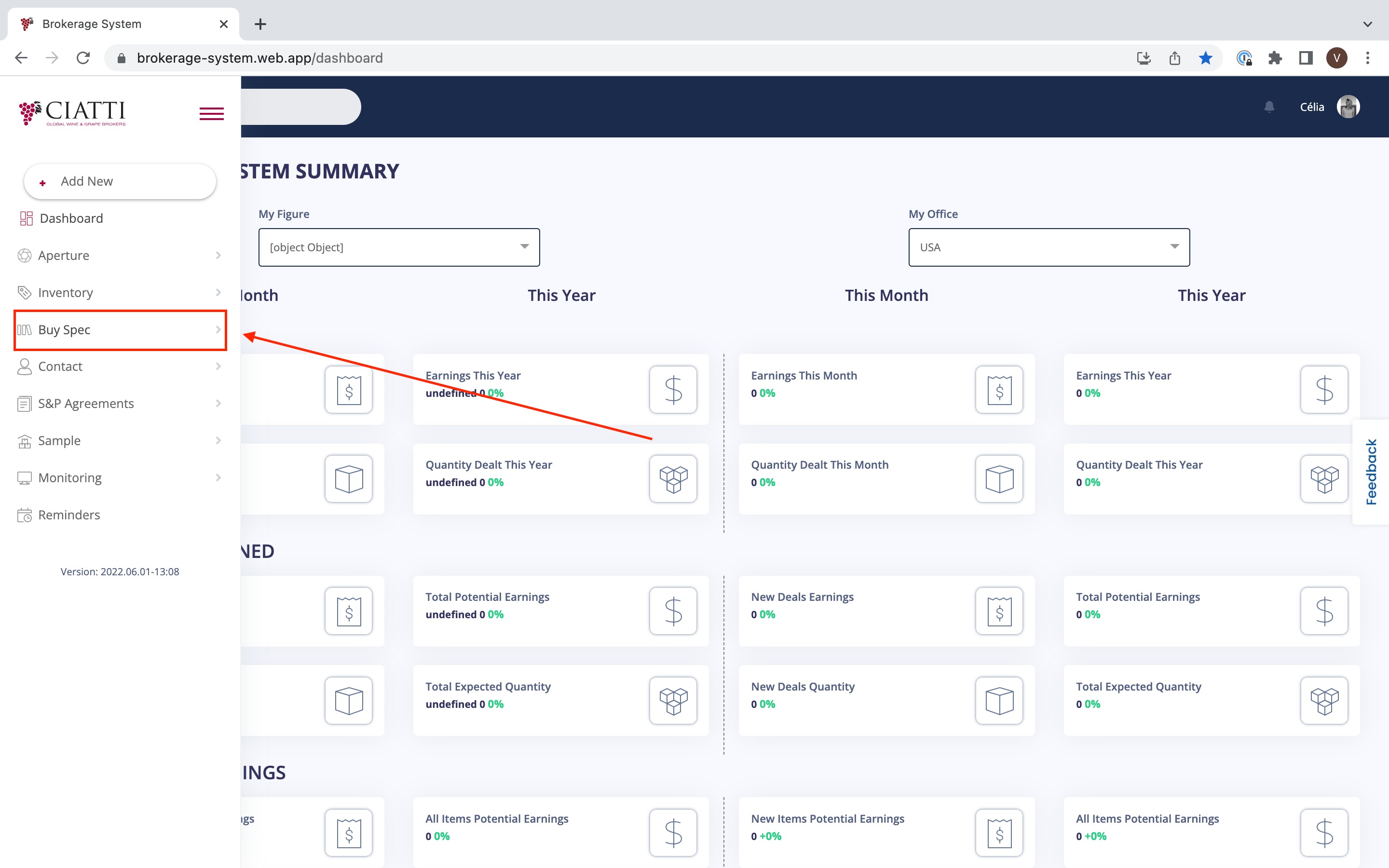
In order to do so, you need to go to the menu on the left of your 'Dashboard' and choose 'Buy Spec'.
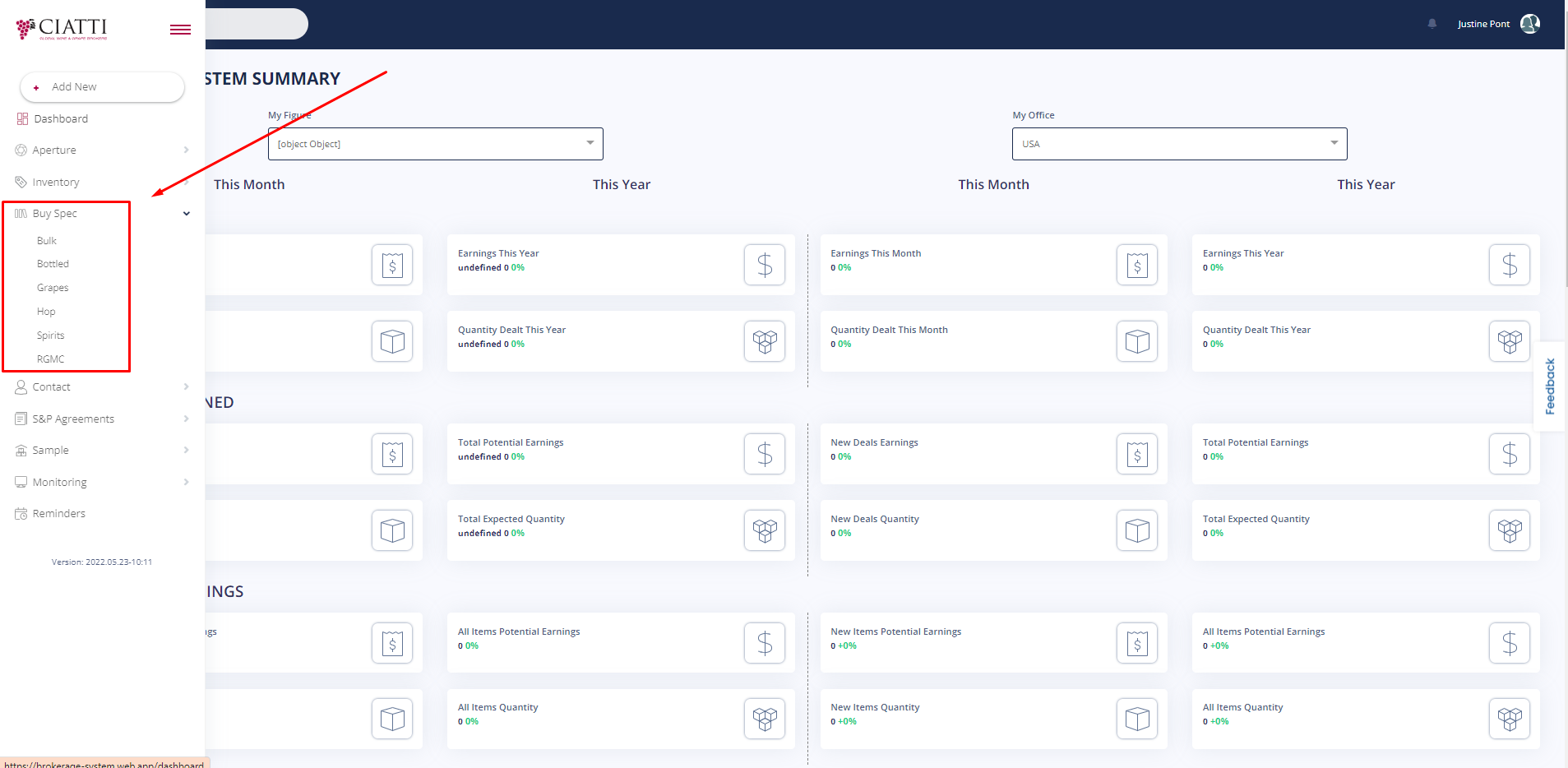
After that, in the additional menu that appears you need to choose one of the following options that contains Buy Specs. Buy Spec Menu lists all items according to different categories : Bulk, Bottled, Grapes, Hop, Spirits, RGMC.
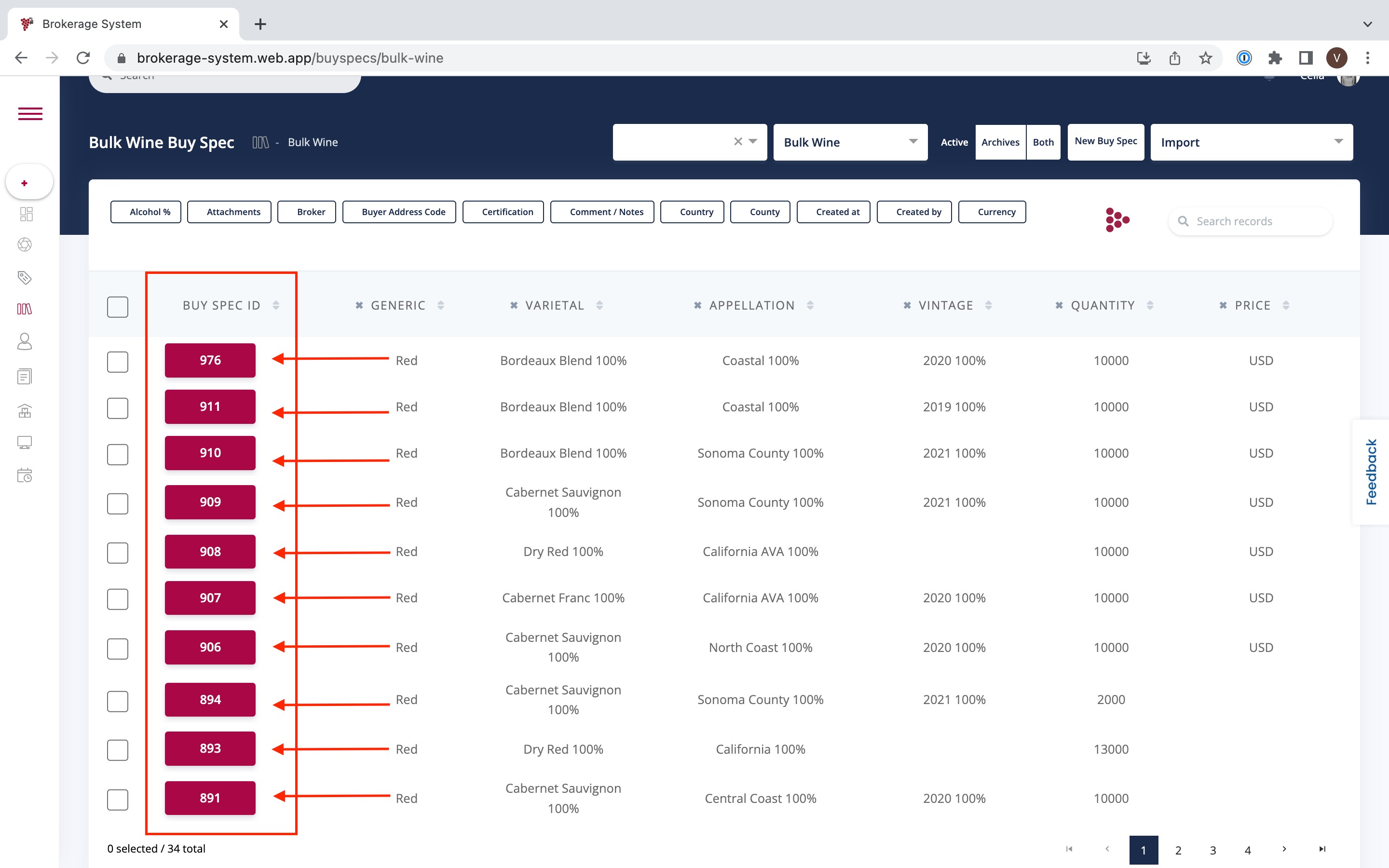
Now that you have entered the Buy Spec Table, you can assign any Buy Spec to an Item by clicking on the Buy Spec ID. The match will only be possible if the Item criteria match with the Buy Spec specifications.
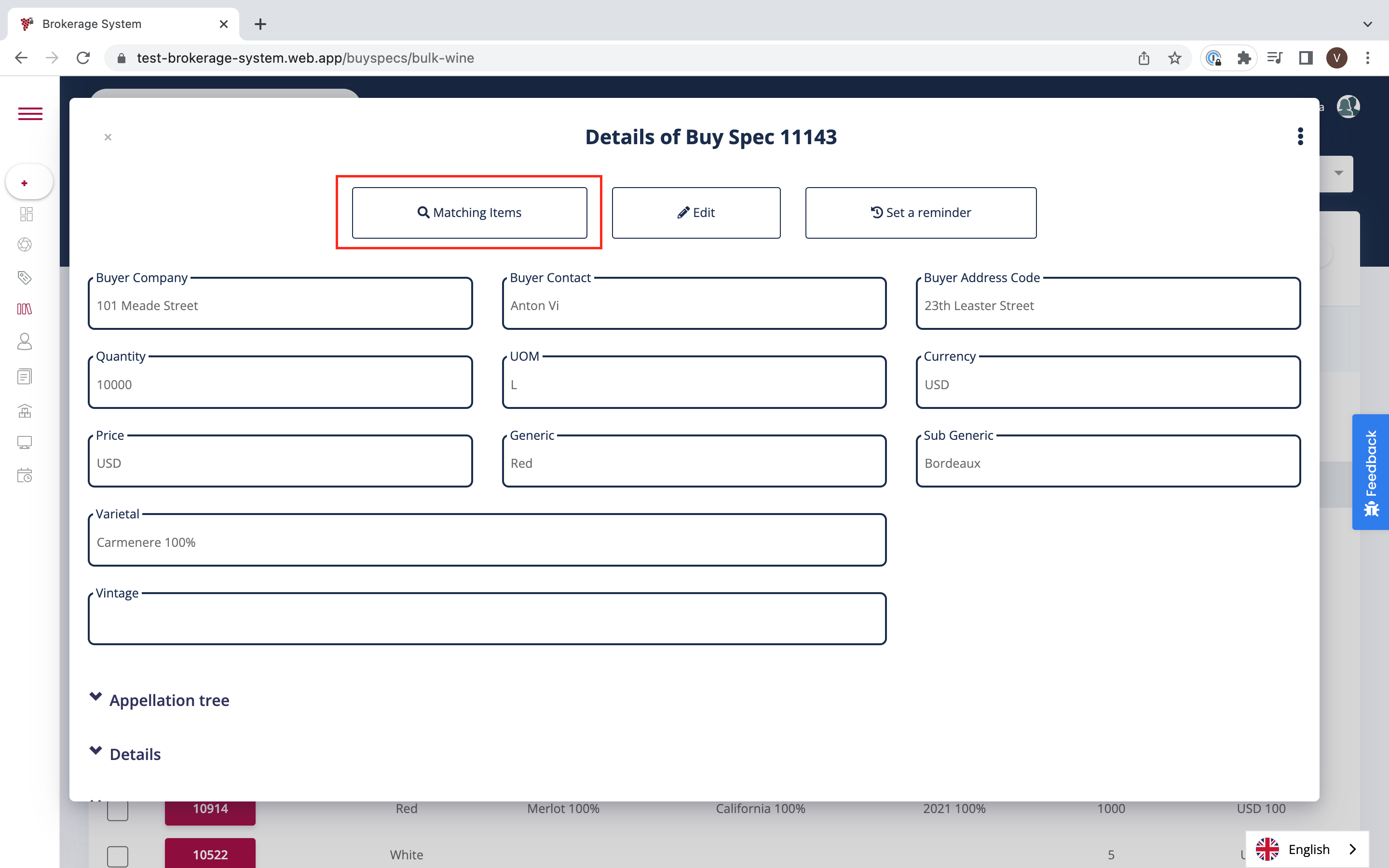
After clicking on the Buy Spec ID, you need to press the button 'Matching Items' which will allow you to find a matching Item to your Buy Spec.
In the additional menu that appears select an Item according to your needs among all the choices you have.
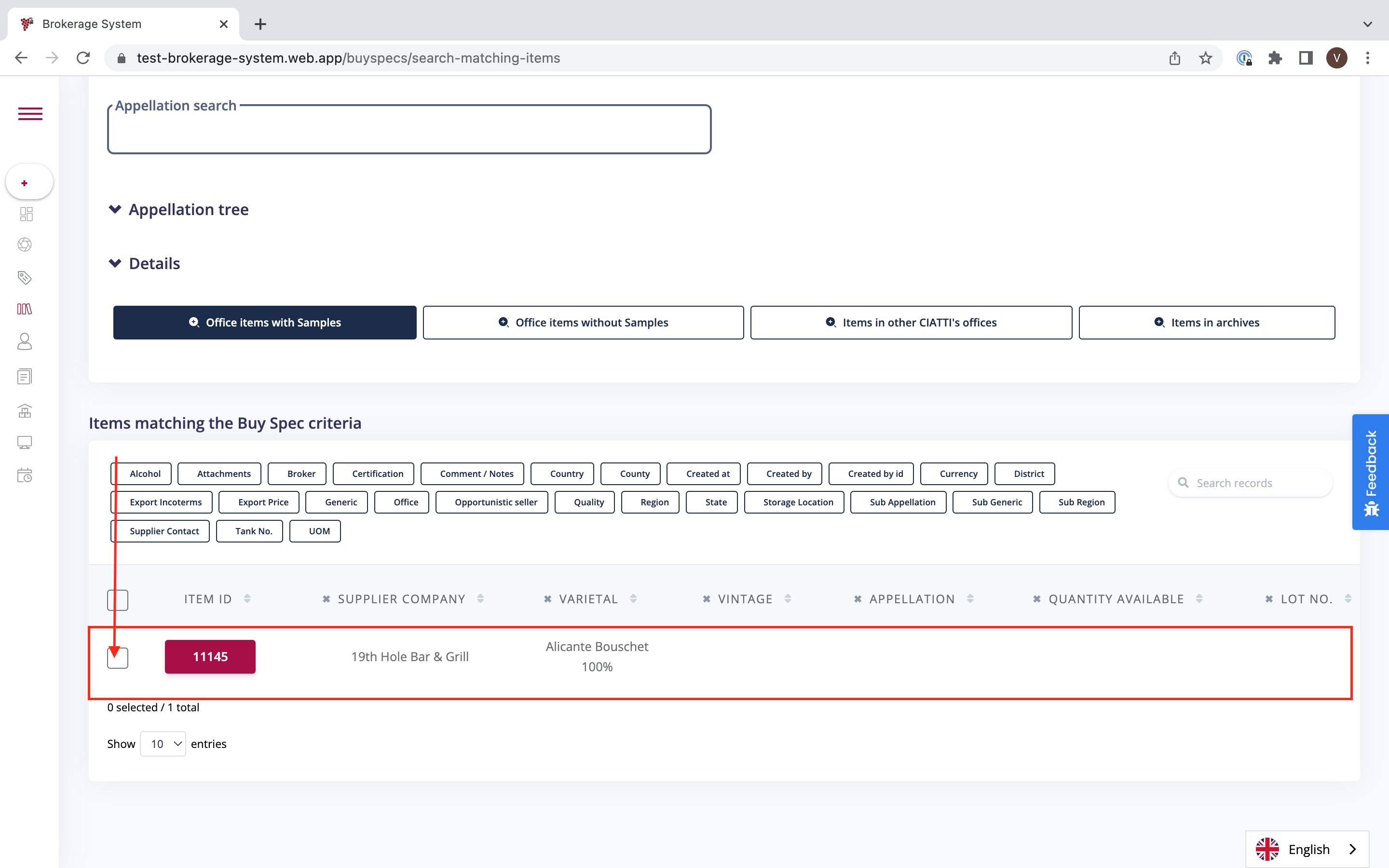
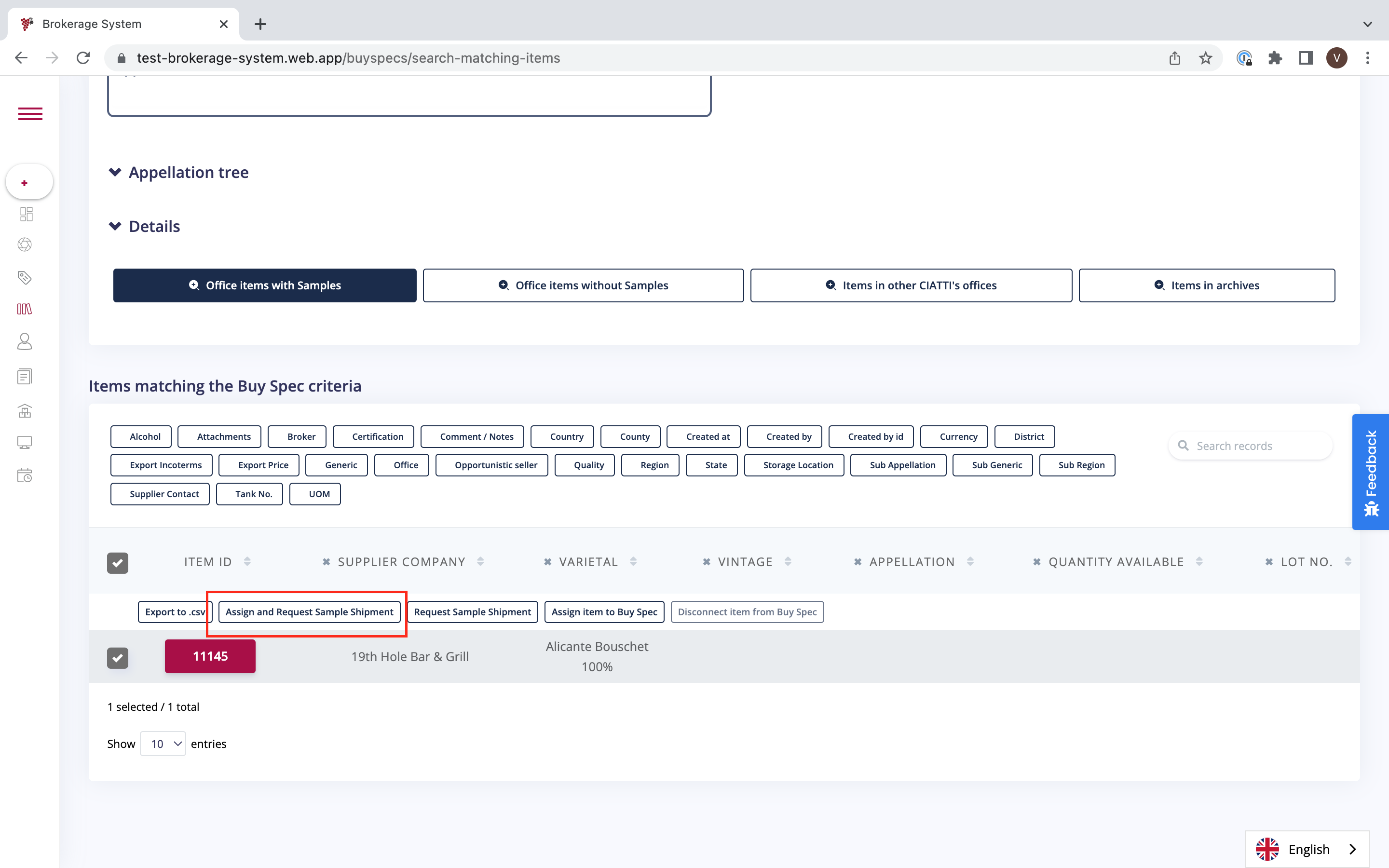
Now, in the additional column that appears in the top press 'Assign and Request Sample Shipment'.
Was this article helpful?
That’s Great!
Thank you for your feedback
Sorry! We couldn't be helpful
Thank you for your feedback
Feedback sent
We appreciate your effort and will try to fix the article