Contact menu allows you to access the list of all contacts, you can also create a new company, a new contact, a new address.
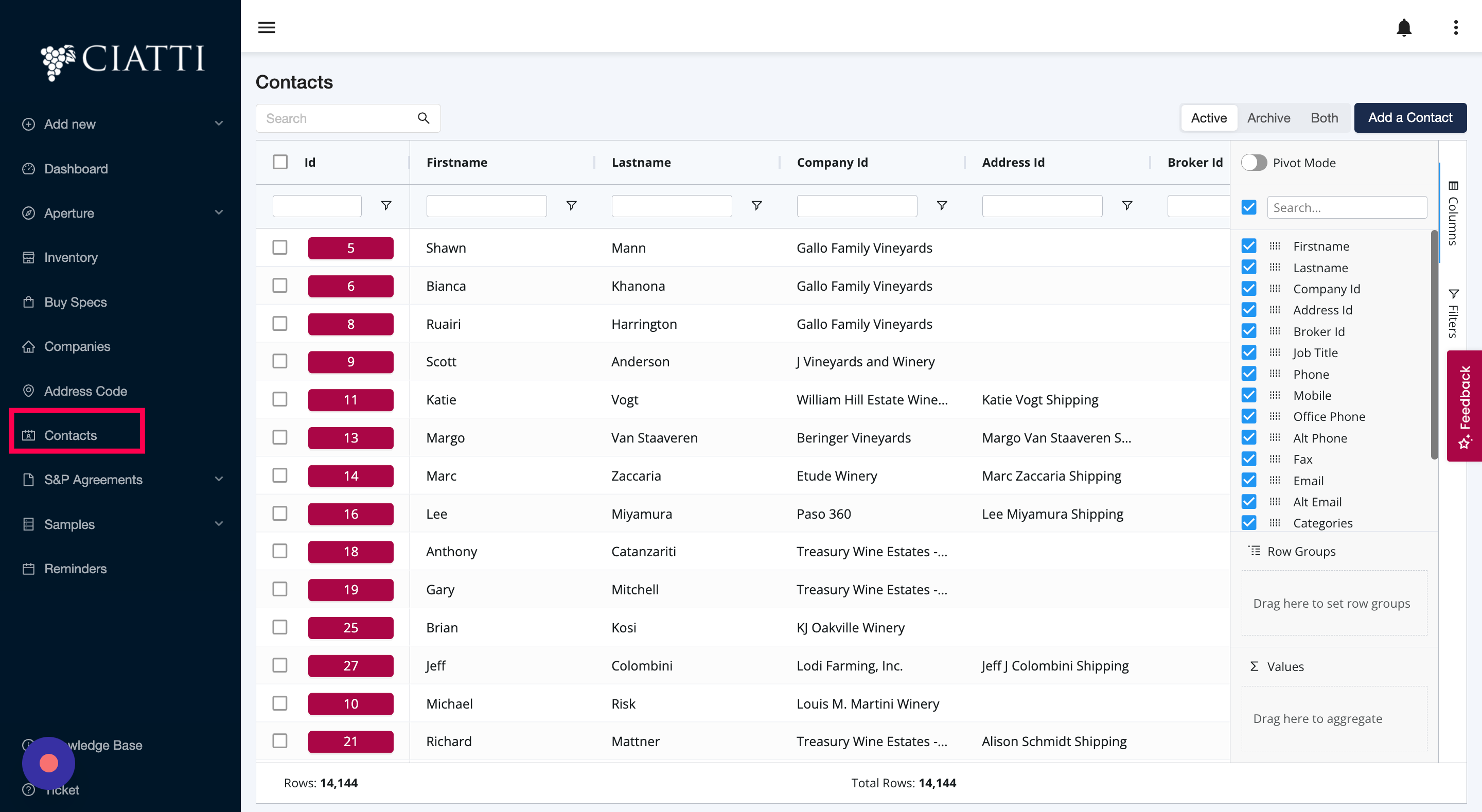
A contact is an individual that you communicate with or have a relationship with. Contacts are mainly the physical persons linked to a Company (provider or seller).
Note that the Database is shared by all CIATTI offices.
A Contact is linked to One Broker in charged of this account.
The following components are typically included in a contact:
First Name: This field contains the first name of the contact.
Last Name: This field contains the last name or surname of the contact.
Company: This field contains the name of the company the contact is affiliated with.
Job Title: This field contains the position or job title of the contact within their company.
Phone: This field contains the primary phone number for the contact.
Mobile: This field contains the mobile phone number for the contact.
Office Phone: This field contains the office phone number for the contact.
Alt. Phone: This field contains an alternative phone number for the contact.
Fax: This field contains the fax number for the contact.
Email: This field contains the primary email address for the contact.
Alt. Email: This field contains an alternative email address for the contact.
Contact Categories: This field contains categories or labels that can be used to organize and group contacts.
Address: This field contains the contact's address, including the street name and number, city, state/province, postal code, and country.
Broker: This field indicates whose broker is in charge of this contact.
Comments/Notes: This field is used to include any additional information or notes about the contact.
By capturing all relevant information about a contact in one place, it becomes easier to manage and maintain the relationship. Contact management tools can help individuals and organizations keep track of important details about their contacts, including their contact information, communication history, and notes about the relationship.
In summary, a contact typically includes important information such as their name, company, job title, phone numbers, email addresses, address, and additional notes or categories. Effective contact management requires the ability to store and access this information quickly and efficiently.
Was this article helpful?
That’s Great!
Thank you for your feedback
Sorry! We couldn't be helpful
Thank you for your feedback
Feedback sent
We appreciate your effort and will try to fix the article