You can delete a Contact you don't need anymore.
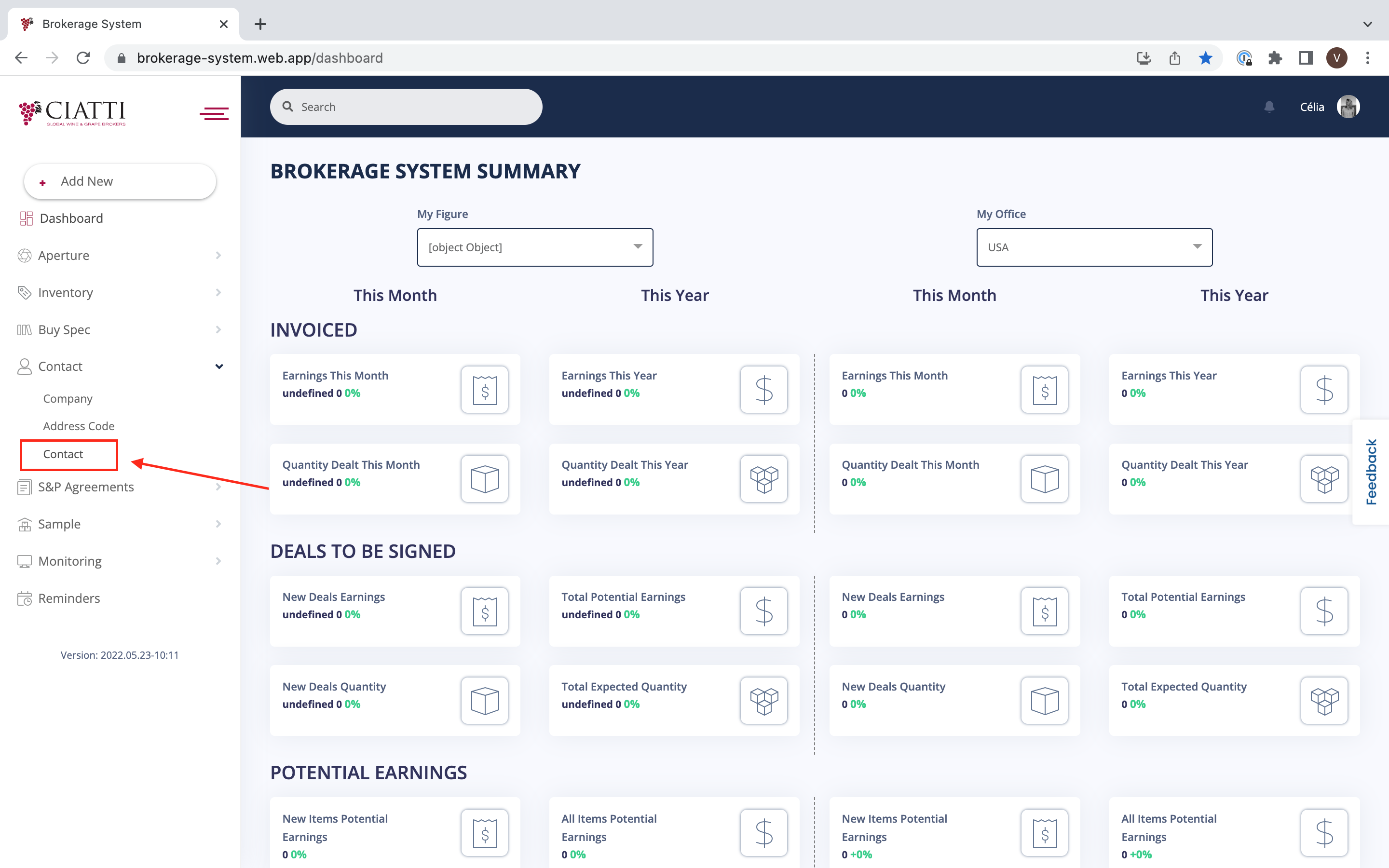
From the 'Dashboard' you need to choose the menu on the left and choose 'Contact'.

After that, you need to press 'Contact' in the additional menu that appears.
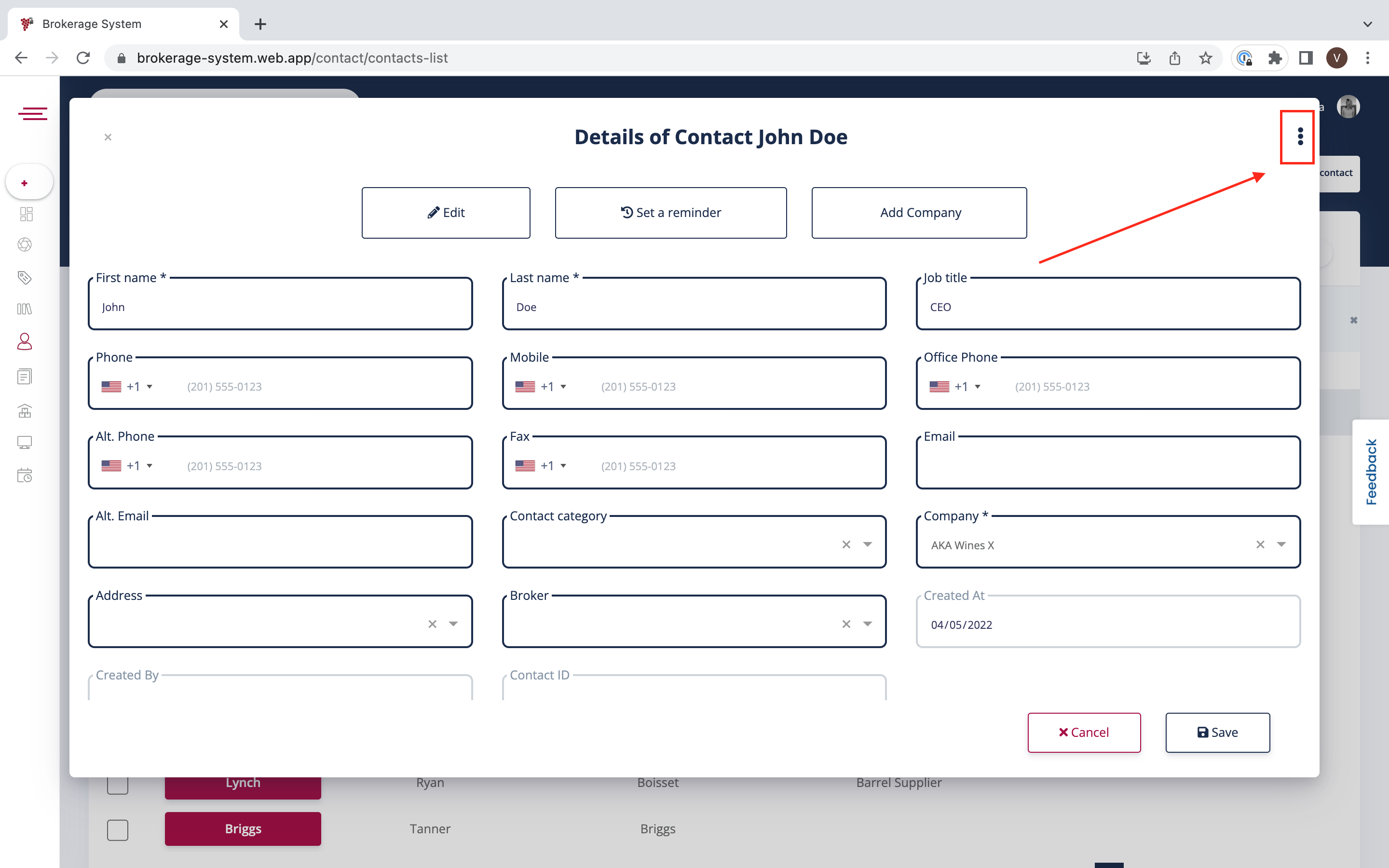
Now that you have entered the Contact Table, you can delete any Contact by clicking on the Last Name of the Contact you want to be deleted.

After you click on the name of the Contact you want to delete, you need to choose the three dots menu in the right corner.
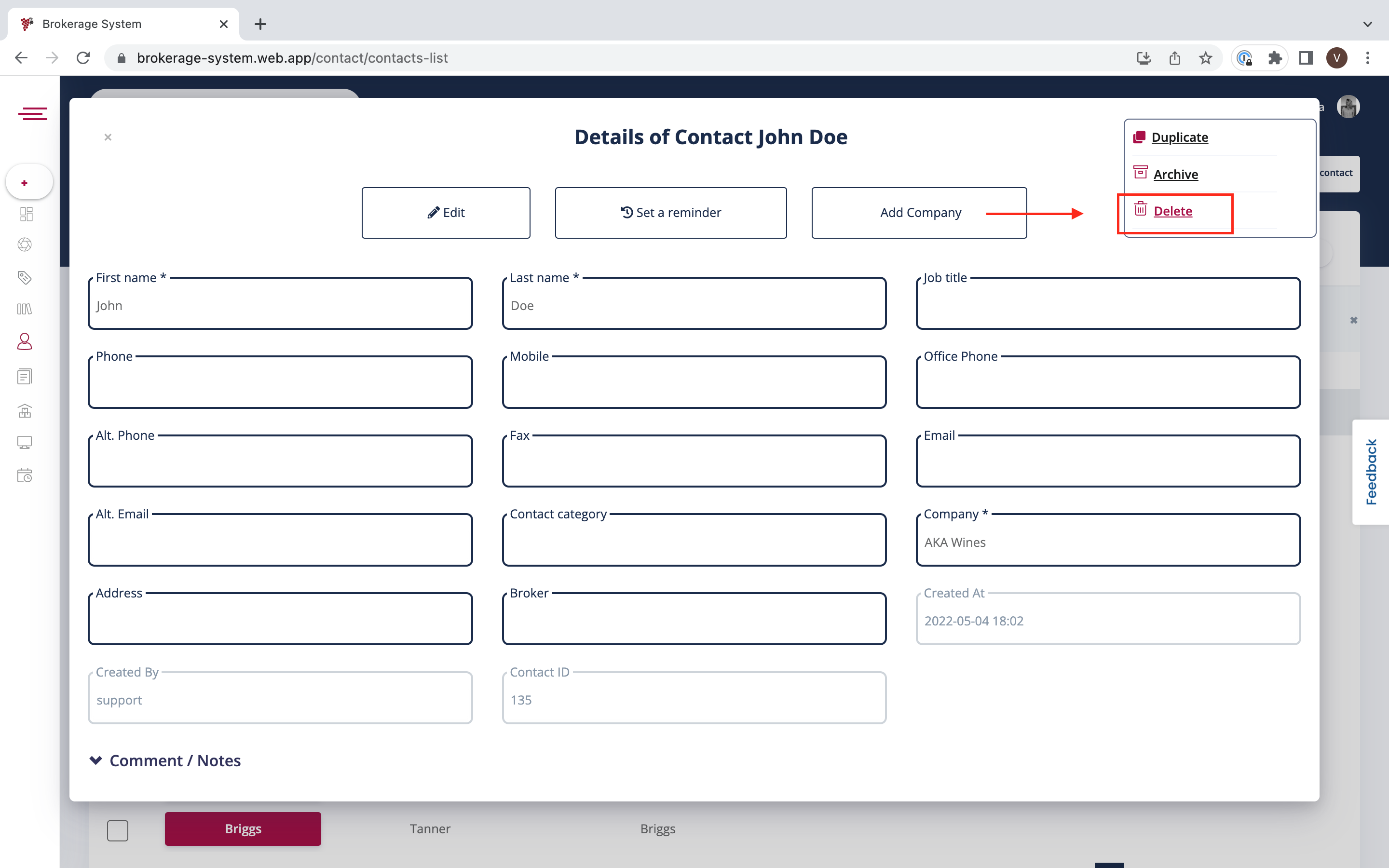
You can now choose 'Delete' from the additional menu.
Was this article helpful?
That’s Great!
Thank you for your feedback
Sorry! We couldn't be helpful
Thank you for your feedback
Feedback sent
We appreciate your effort and will try to fix the article