If you want to see the progress of your shipment, you need to choose the menu on the left of your Dashboard and press ‘Samples’ then 'Shipment tracking'.
In the Shipment Tracking Table you can see all the details about the Shipment you’ve requested. You can also see the status of your Shipment in the column ‘Status’ or by clicking on the Shipment ID.
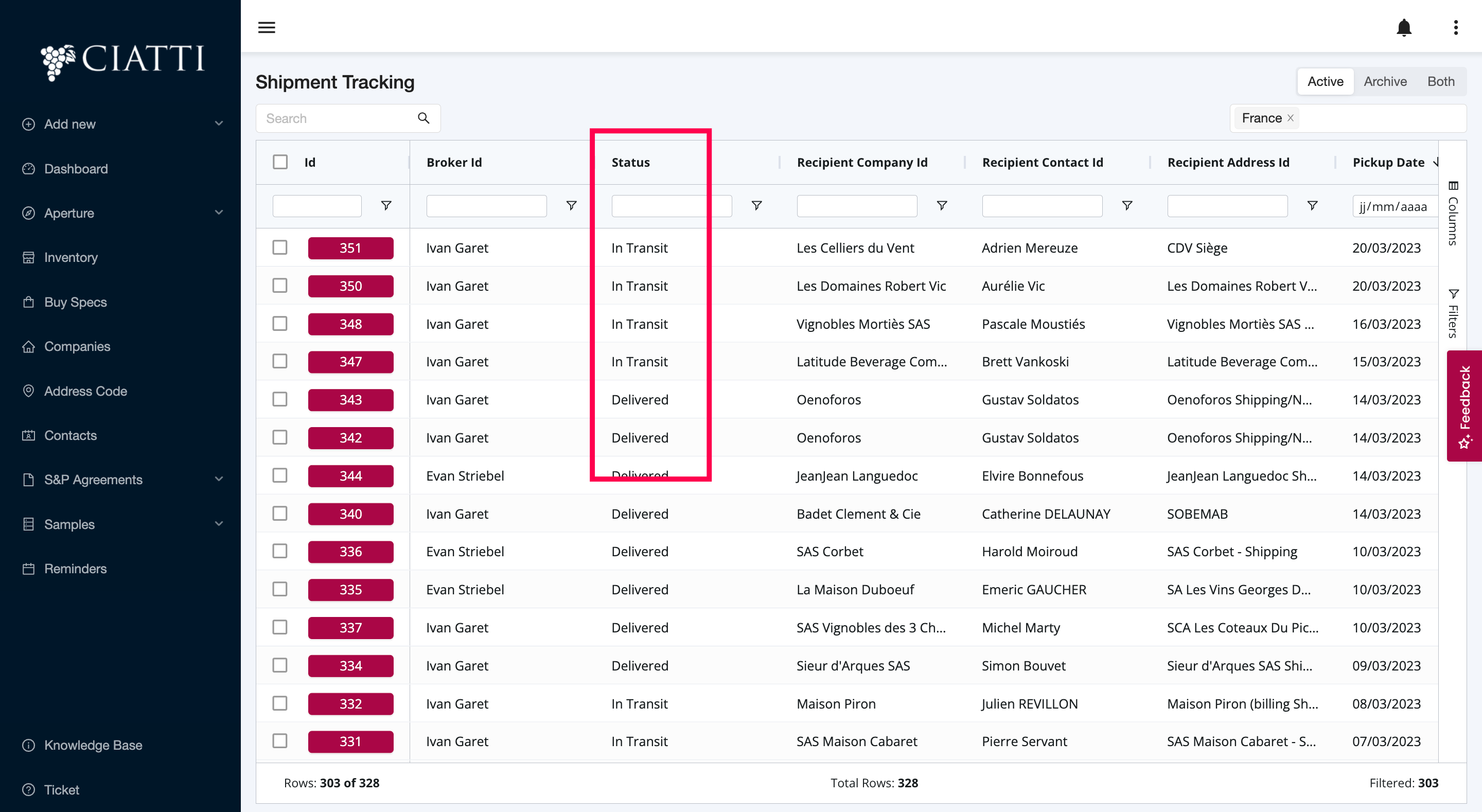
For shipment sent by Carrier, if you have entered a Tracking id, it will be automatically updated through Aftership.
For shipment sent by CIATTI, you should change the status manually by clicking on the Shipment ID, editing it and changed the status.
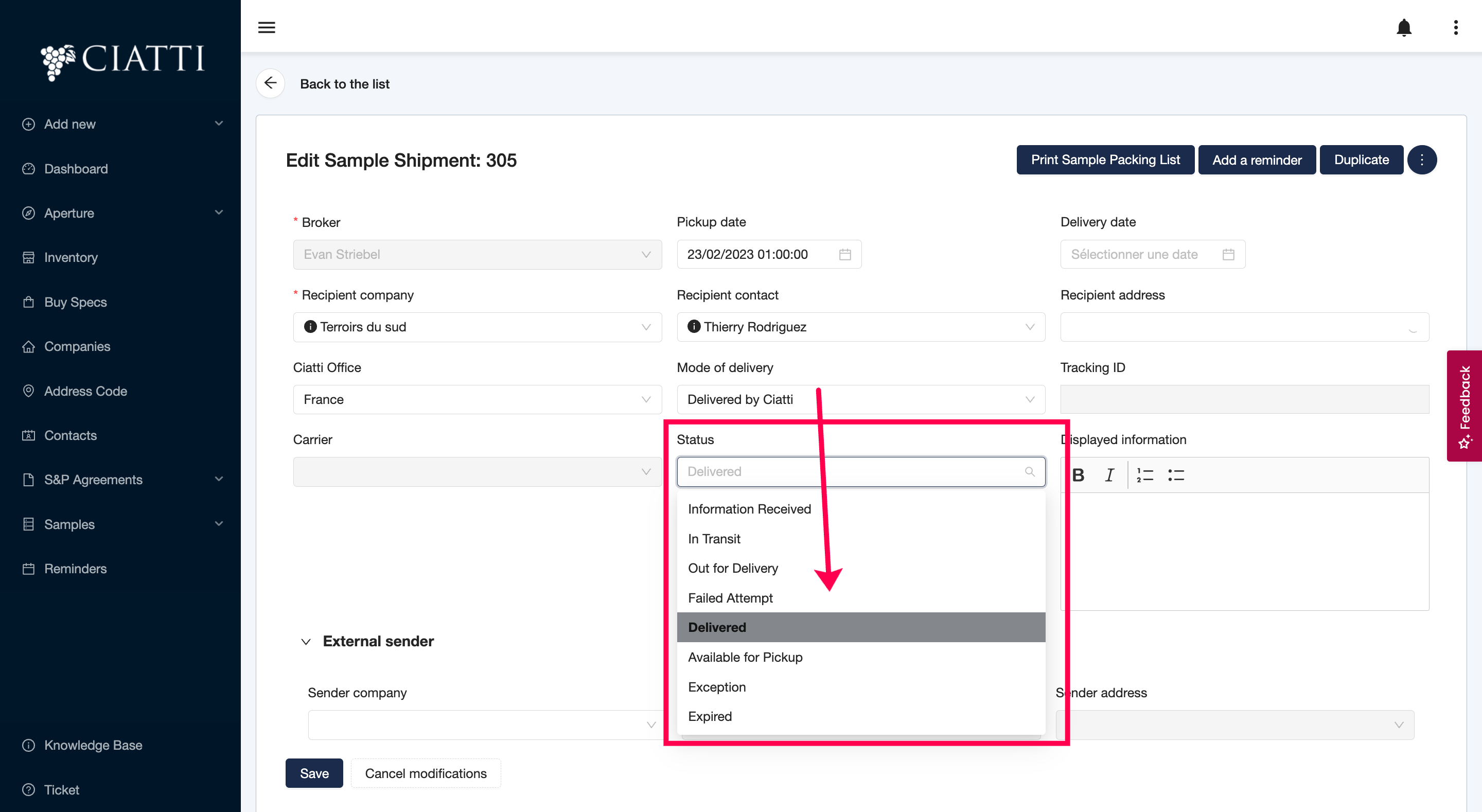
Once you’ve modified the Status, don’t forget to press ‘Save’.
Was this article helpful?
That’s Great!
Thank you for your feedback
Sorry! We couldn't be helpful
Thank you for your feedback
Feedback sent
We appreciate your effort and will try to fix the article