S&P Agreement is the contract between you, your customers (sellers & buyers) and third parties.
S&P Agreements lists all S&P Agreements according to different categories :
Bulk
Bottled
Grapes
Hop
Spirits
RGMC
From each of these categories, you can create a S&P Agreements.
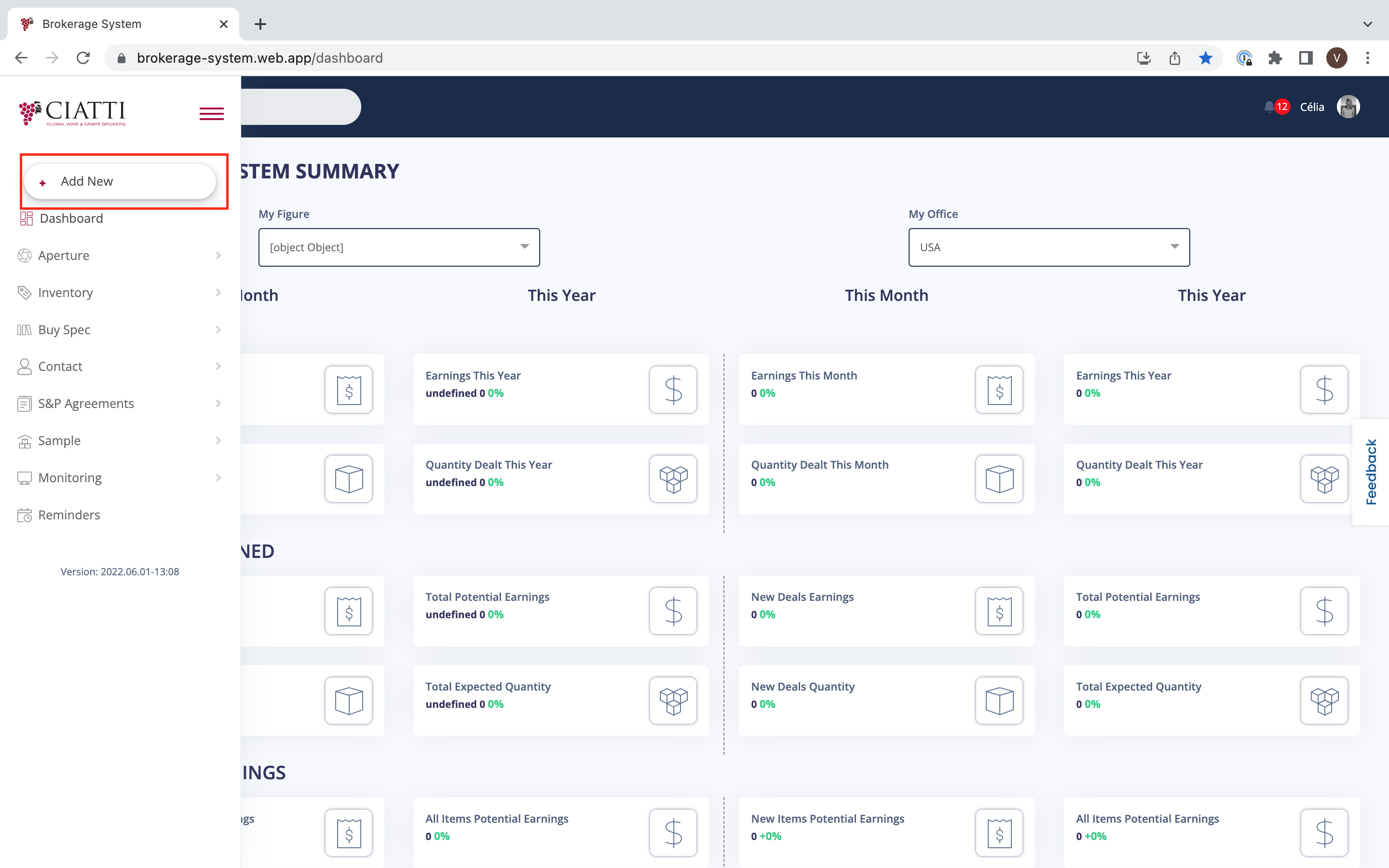
In order to create a new S&P Agreement, you need to choose the menu on the left of your Dashboard and press on ‘Add New’.
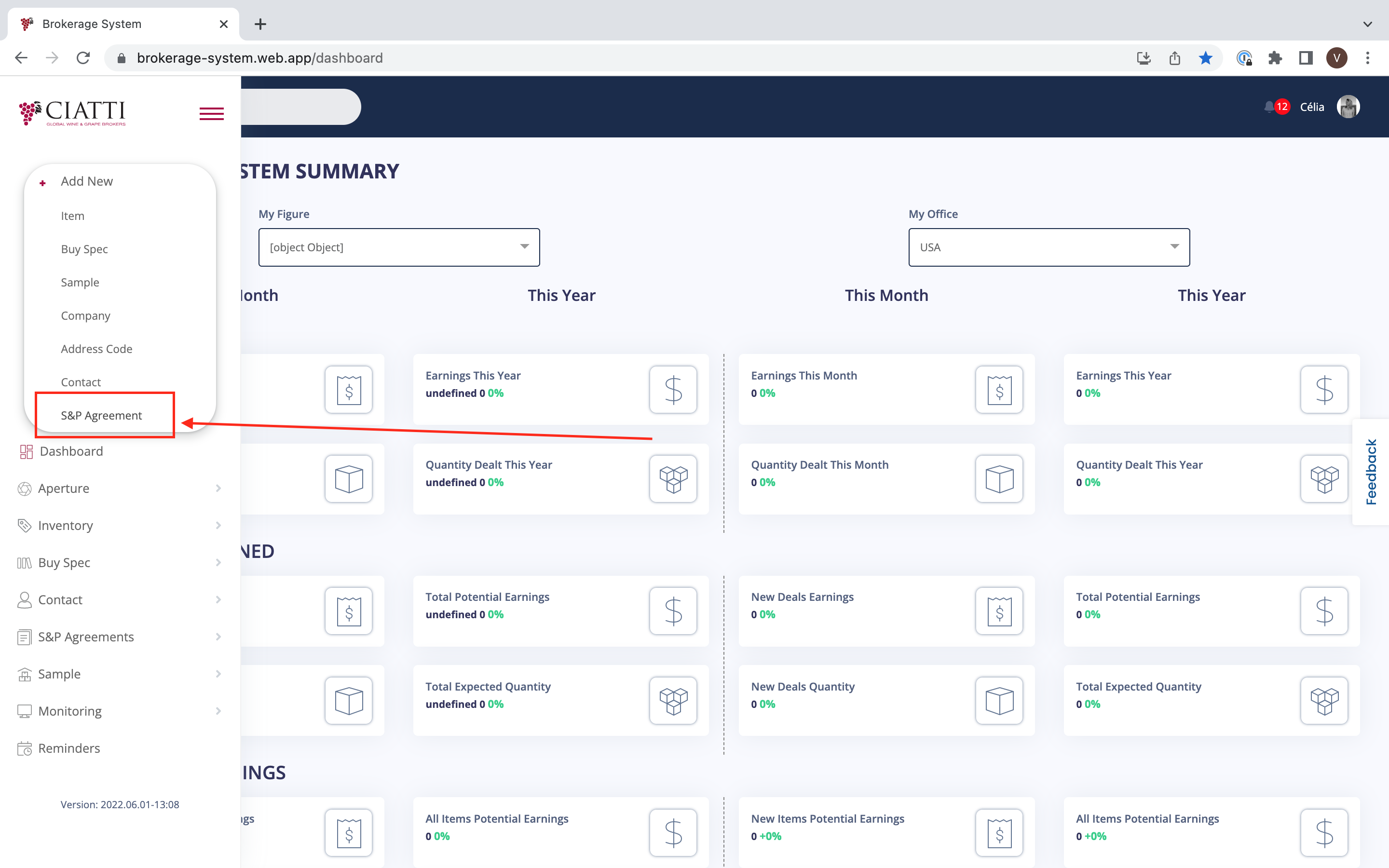
In the additional menu that appears, choose ‘S&P Agreement’.
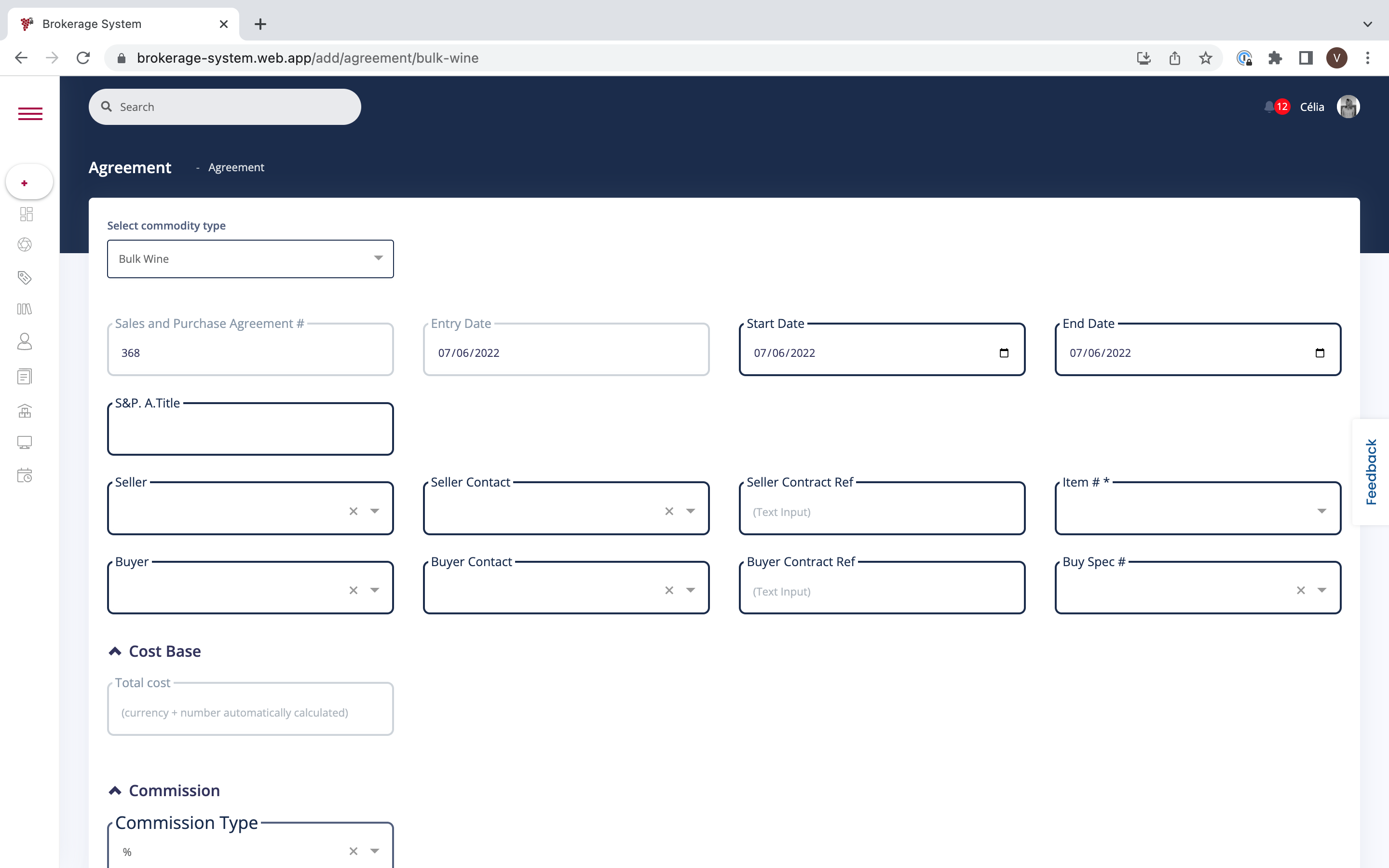
Select the Commodity type and fill in the information about the S&P Agreement which is required : Cost Base, Commission, Details, Terms.
Add Comments/Notes and attach a file if necessary.
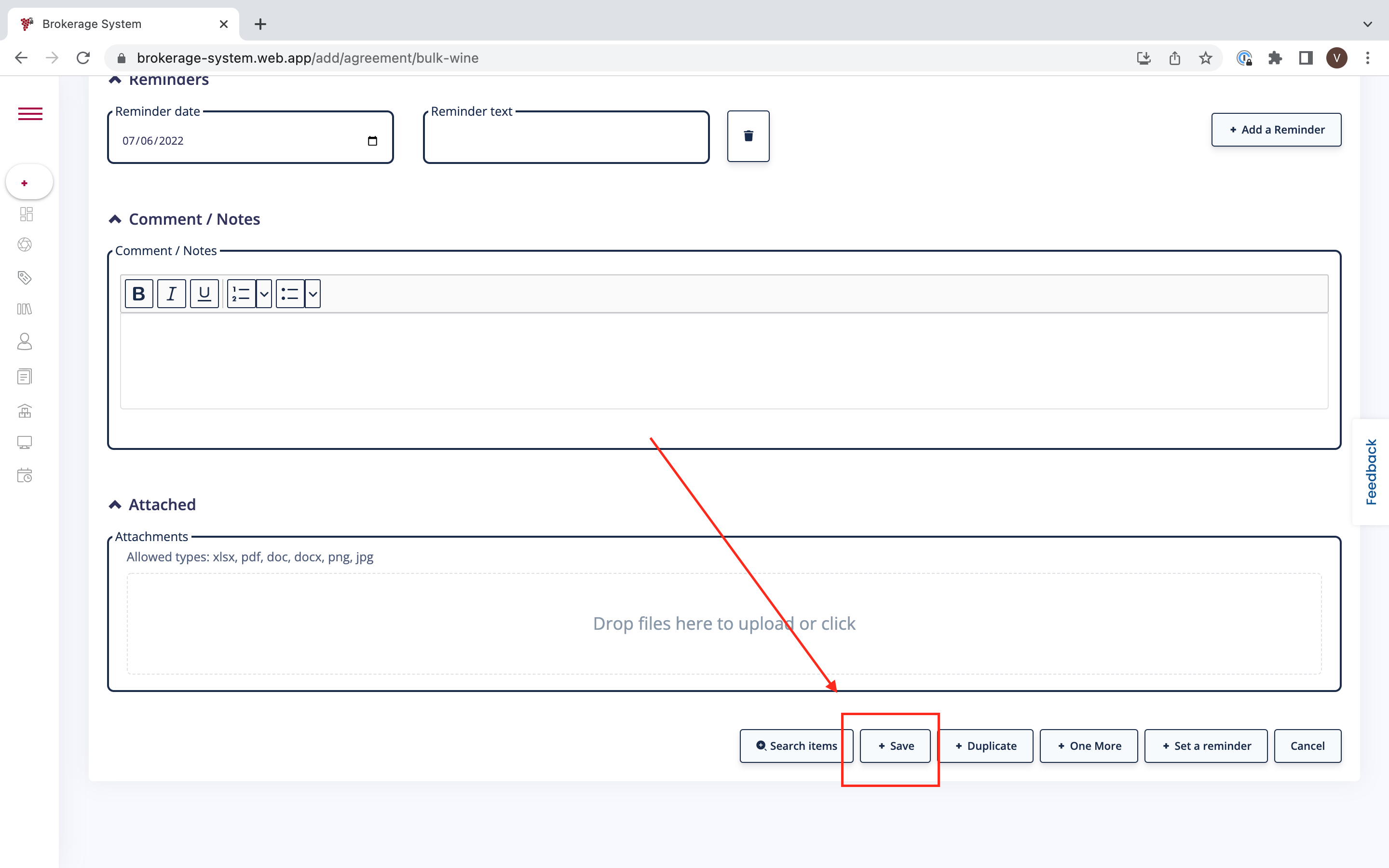
Once you have filled in all the information, you need to confirm by clicking on 'Save'.
Was this article helpful?
That’s Great!
Thank you for your feedback
Sorry! We couldn't be helpful
Thank you for your feedback
Feedback sent
We appreciate your effort and will try to fix the article