You can display the details of every S&P Agreement.
In order to do so, you need to go to the menu on the left of your 'Dashboard' and choose ‘S&P Agreements’.
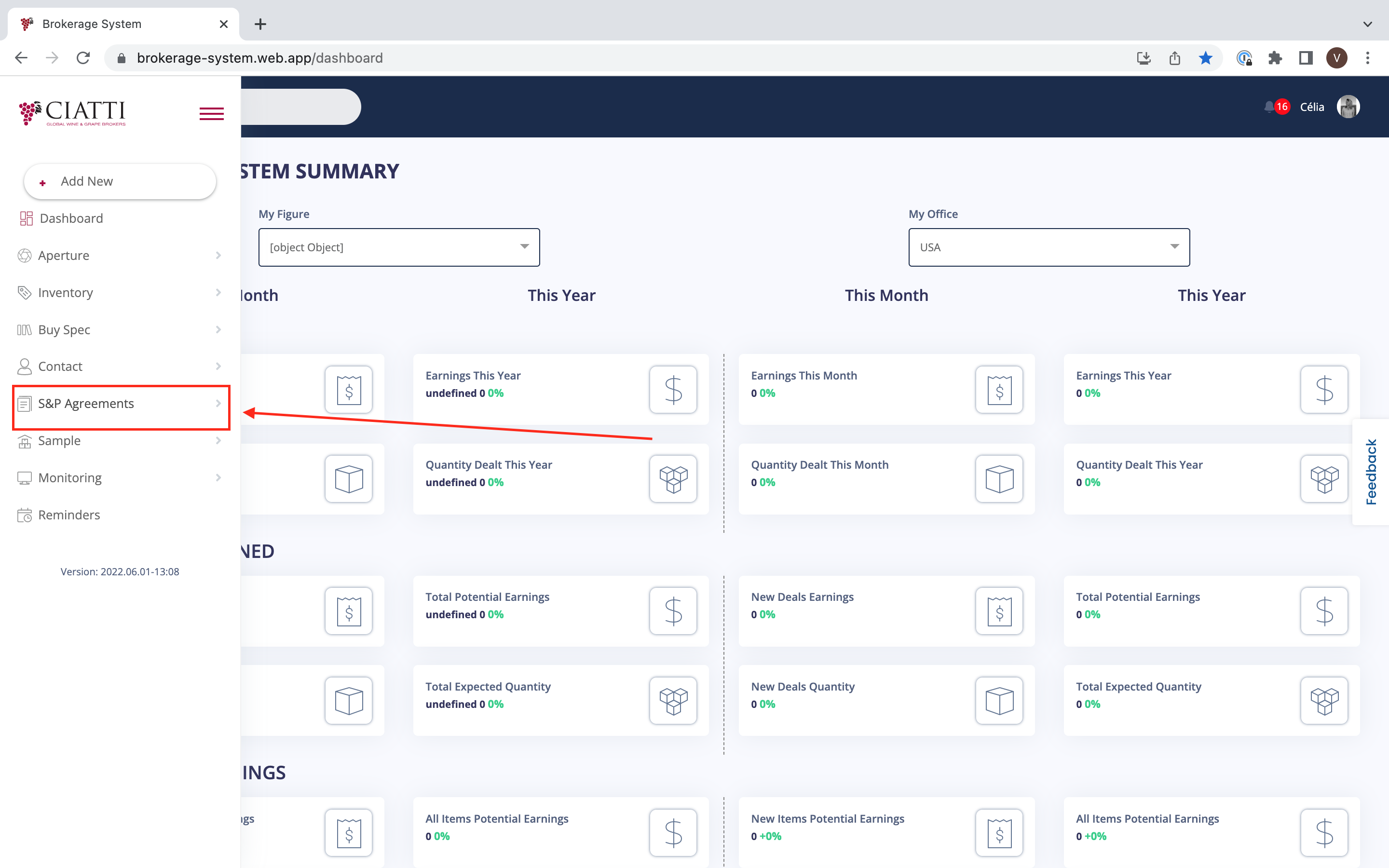
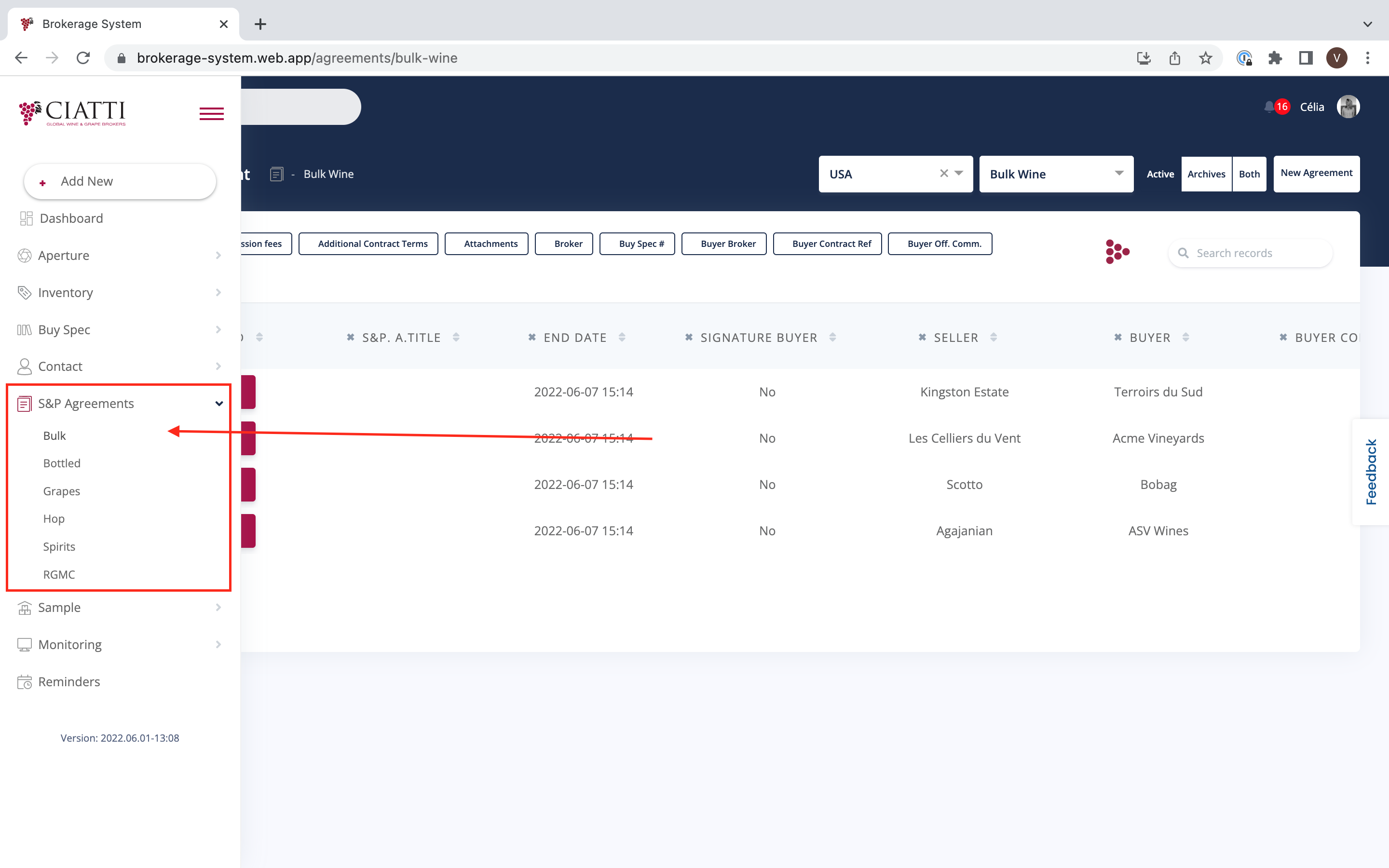
S&P Agreements lists all S&P Agreements according to different categories :
Bulk
Bottled
Grapes
Hop
Spirits
RGMC
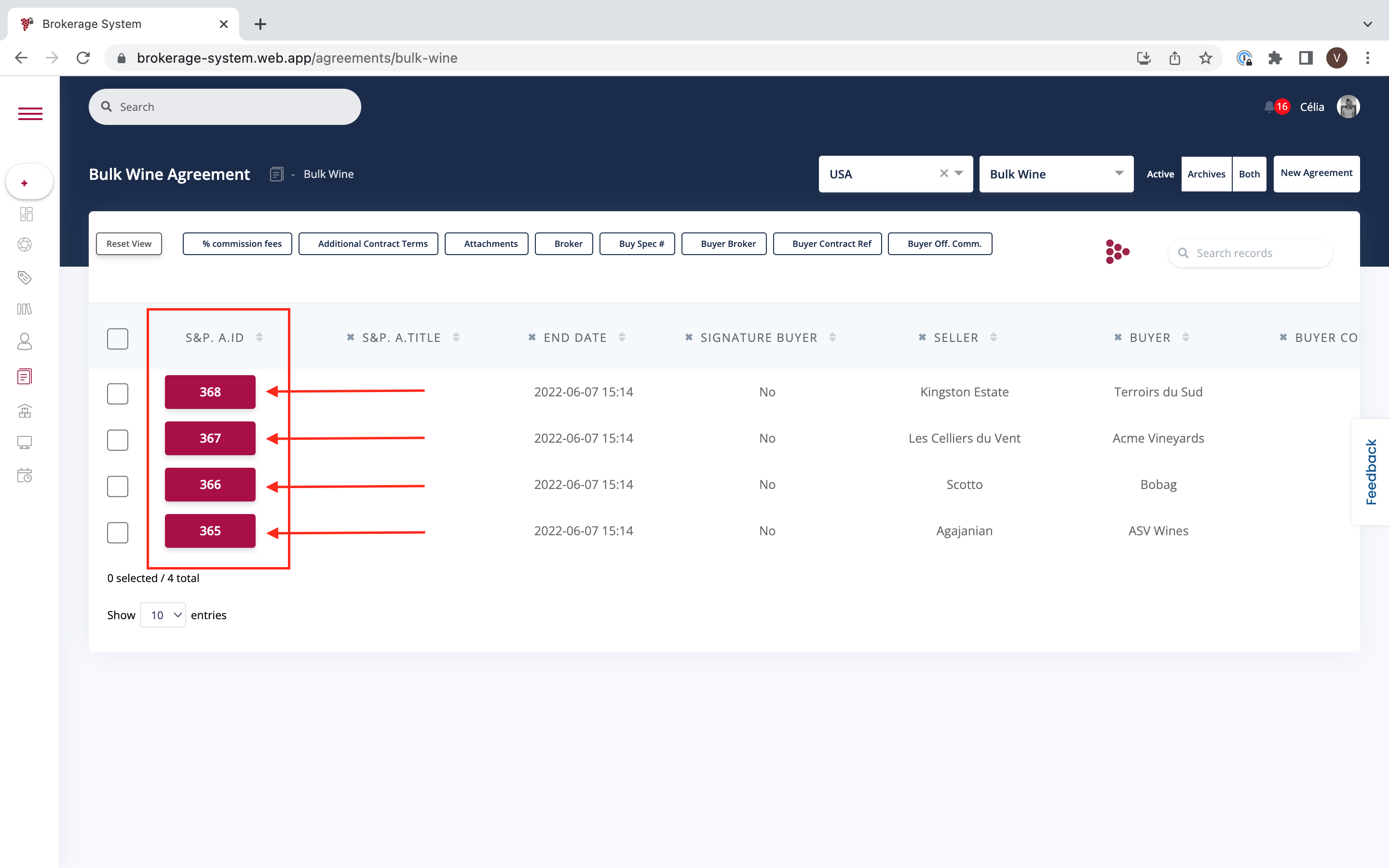
From each of these categories, you can display S&P Agreement Details. You can do it by clicking on any S&P Agreement ID.
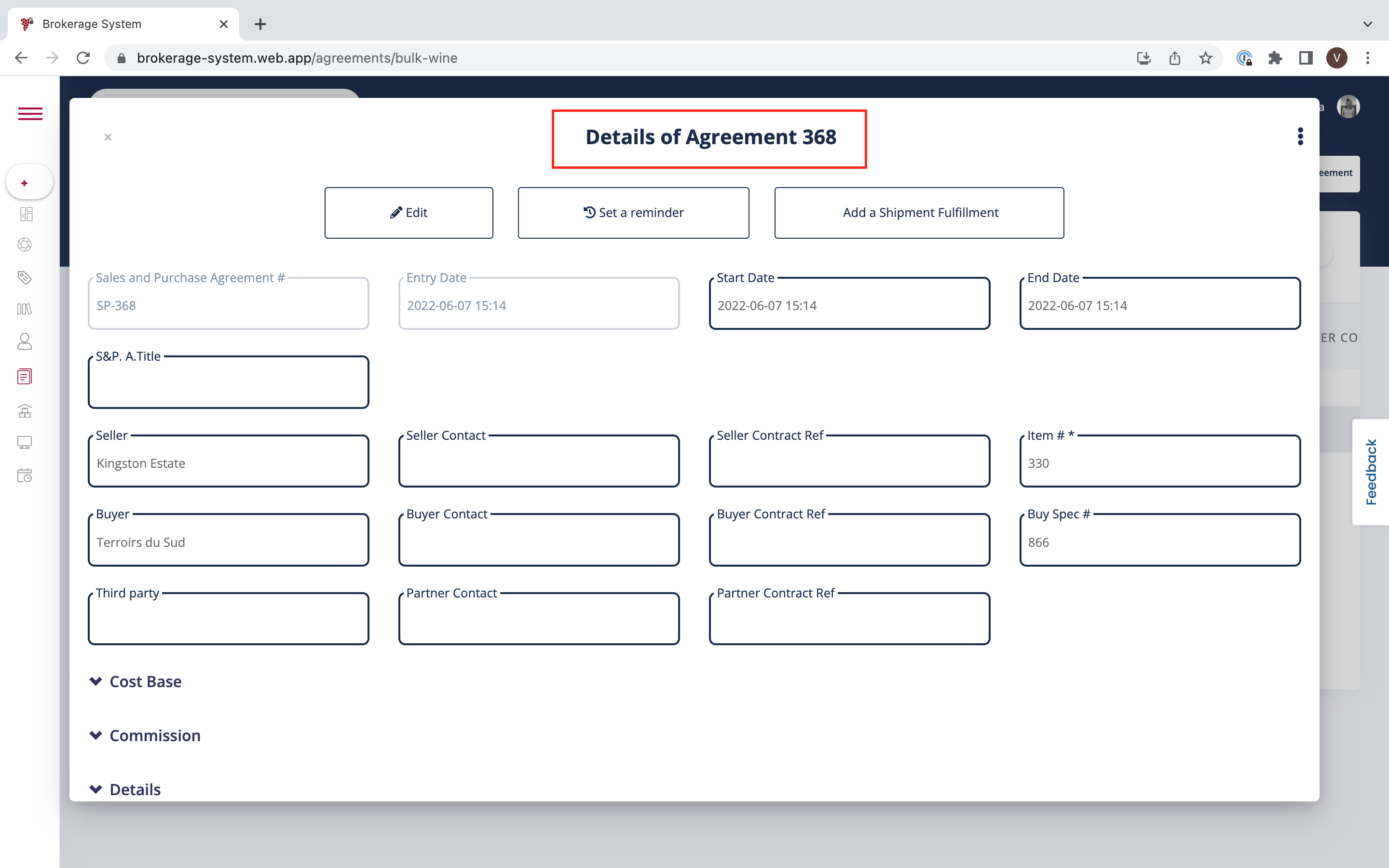
It is possible to find the following information about every S&P Agreement :
- Entry Date
- Start Date
- S&P Agreement Title
- Seller
- Buyer
- Seller Contact
- etc
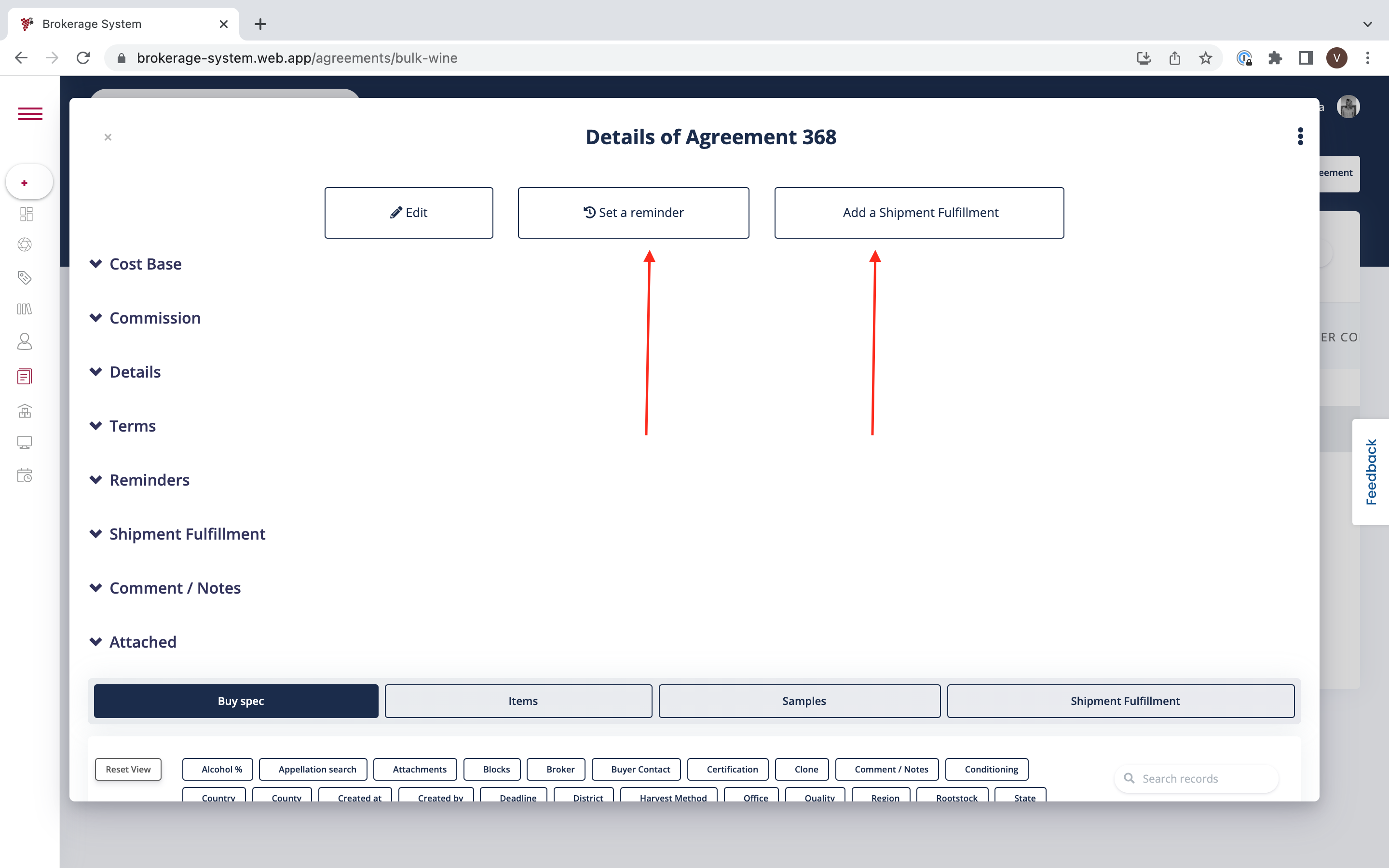
It is also possible to see :
Cost Base
Commission
Details
Terms
Reminders
Shipment Fulfilment
Comments / Notes
Attached
You can also set a Reminder or/and add a Shipment Fulfilment.
Was this article helpful?
That’s Great!
Thank you for your feedback
Sorry! We couldn't be helpful
Thank you for your feedback
Feedback sent
We appreciate your effort and will try to fix the article