Batch actions allow to arrange the objects in the way that they come out in groups and not continuously. You can do so with the Samples in your Sample Table.
Now that you have entered the Sample Table you can use batch actions. You need to click on two or more Sample and you will see an additional column appear in the top of the menu with the following options :
Select several Samples and Delete them
Select several Samples and Archive them
Select several Samples and Renew them
Select several Samples and Export them to CSV file
Select several Items and Print sample labels for them
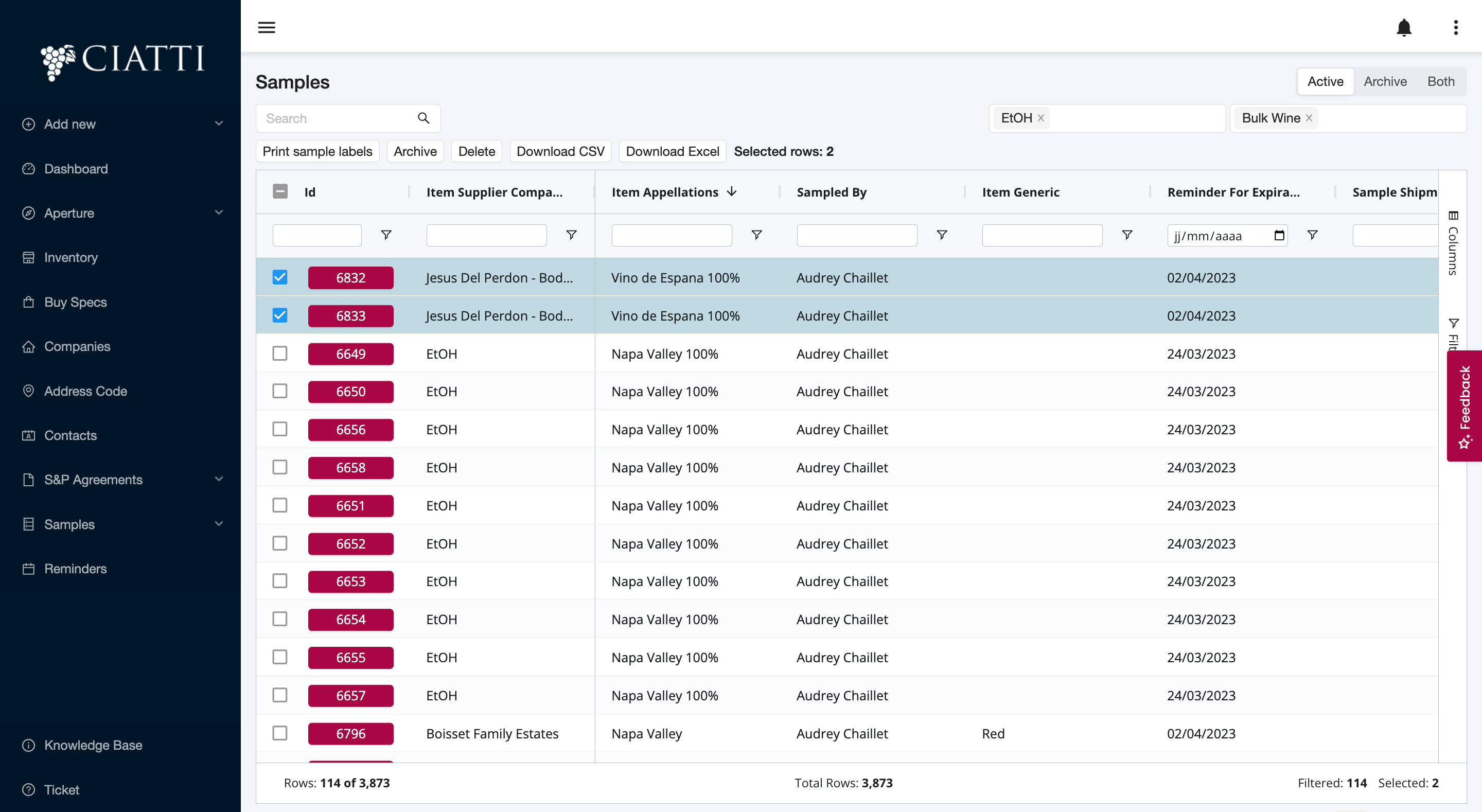
This feature allows you to delete, archive, renew, export to .cvs or print sample labels for two or more Samples at once!
Was this article helpful?
That’s Great!
Thank you for your feedback
Sorry! We couldn't be helpful
Thank you for your feedback
Feedback sent
We appreciate your effort and will try to fix the article